
AI tools are everywhere now. ChatGPT, Claude, Grok, Midjourney, Stable Diffusion, and this list goes on. They can write code, translate languages, generate images, process videos, and answer pretty much any question you throw at them. They'll help you find project ideas, speed up routine work, and let you experiment at speeds that used to take weeks.
Yet most people still treat prompting like casual chit-chat, and that's why they end up with mediocre results or even outright garbage. Then they blame the AI. But most frustration with AI doesn’t come from bad models. It comes from weak prompts.
This article breaks down how prompts actually work and how to structure prompts that produce reliable, high-quality results in 2026. Along the way, we will share some practical examples you can adapt to your needs.
What is a prompt?
A prompt is your instruction to the AI. It defines what task gets done and what results you get back. You can ask it to generate an image, write a product description, create an article, compile data into a table, whatever you need.
And it’s as simple as this: the more precise your prompt, the better the result. Because when you tell an AI to "Draw a landscape," be prepared to receive anything from a rainy field to a winter forest. But if you specify "Draw a summer landscape with a calm lake, a wooden boat, trees reflected in the water, and the first rays of sunset breaking through the clouds," your chances of getting what you want increase exponentially.
Think of AI like this: it's your ideal employee. Smart, fast learner, packed with knowledge, but completely unfamiliar with your specific business. It doesn't know how your company operates, what you sell, who your clients are, or what tone you use with customers. And the prompt is the bridge between the AI's universal knowledge and your business goals.
At its core, prompting the right way is just another way of saying: "Getting an AI tool to do exactly what you want."
Elements of an Effective Prompt
If you've ever been a student, you know this: the more detailed a task, the higher the chance someone understands it correctly. The same applies to AI. The quality of output directly depends on the clarity of your criteria and structure. The more nuances, i.e., components, you include, the better the final result.
You won't always use all these components of effective prompting at once. That's fine. But the more you use, the better the AI's response will be.
Task: The Specific Work for AI
It is the most important element. Tell the AI exactly what it should do. Be specific and concise, or the AI might get confused. Make it actionable with strong imperative verbs like do, create, analyze, generate, brainstorm, optimize, and a clearly defined end goal. The more direction you give, the better the AI can execute.
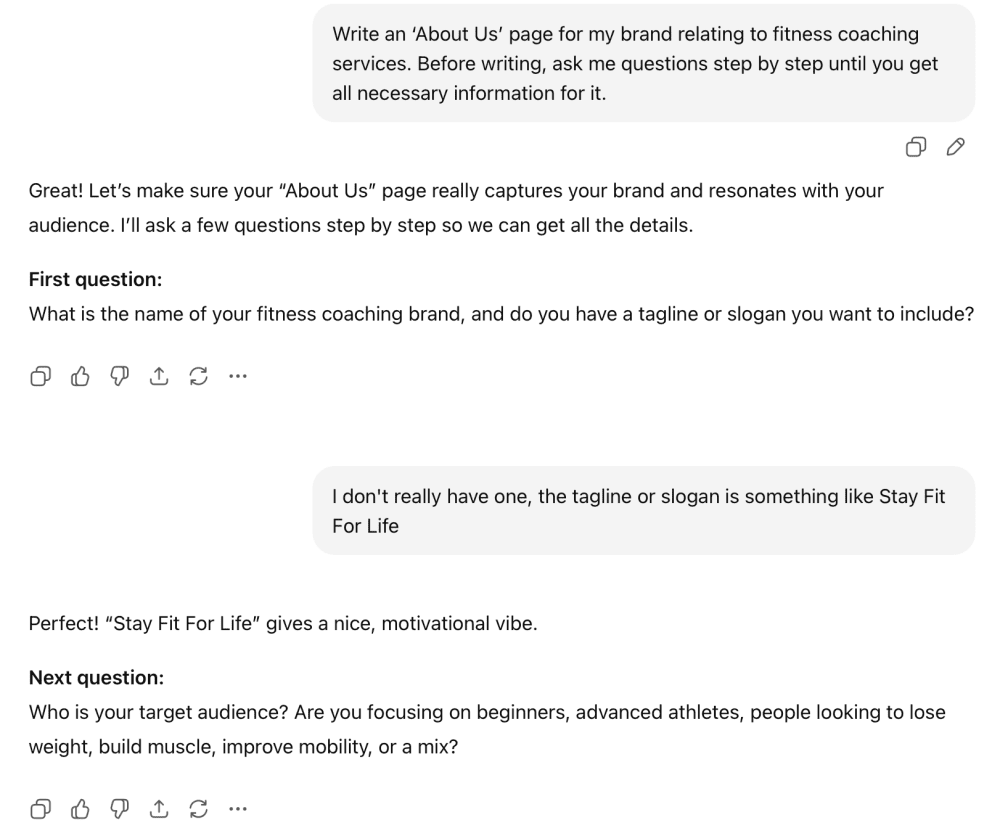
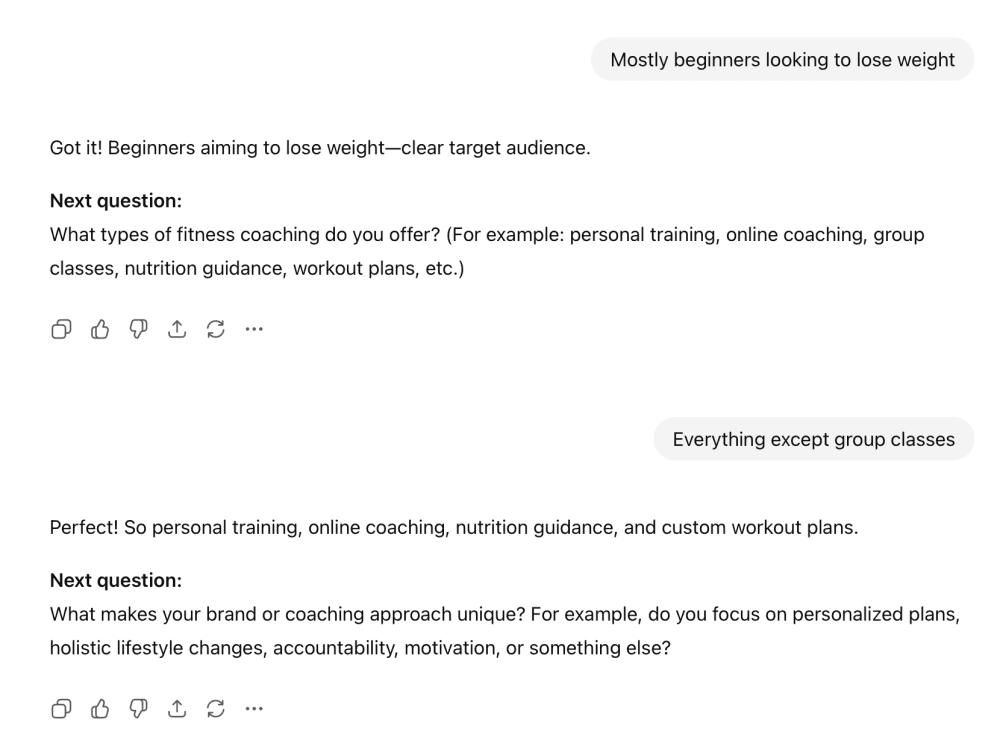
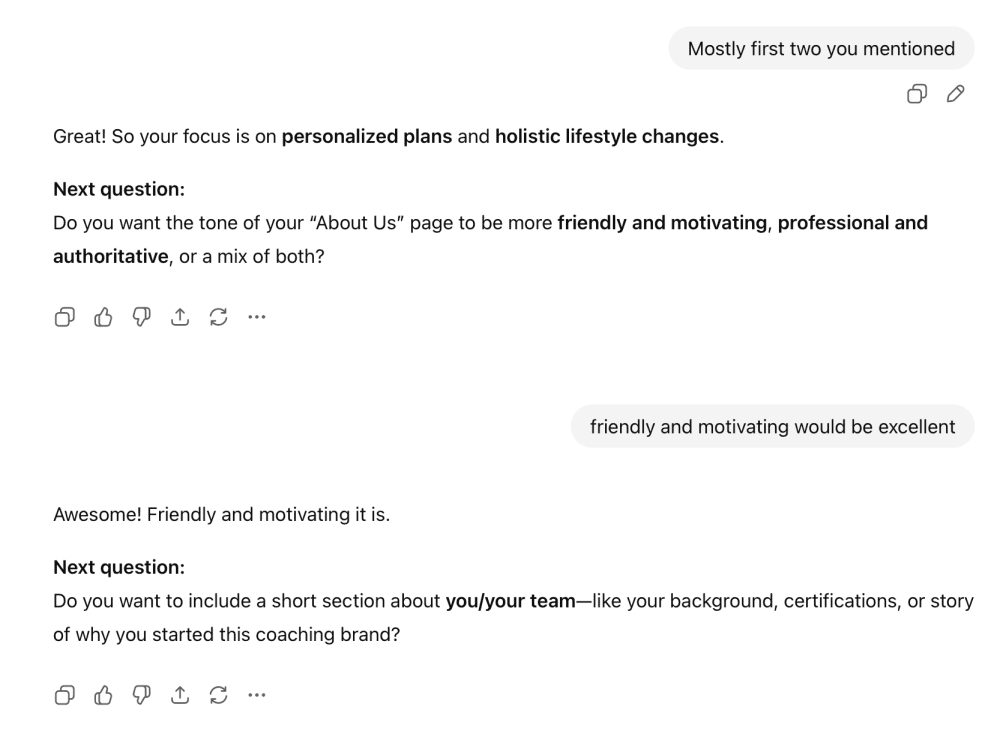
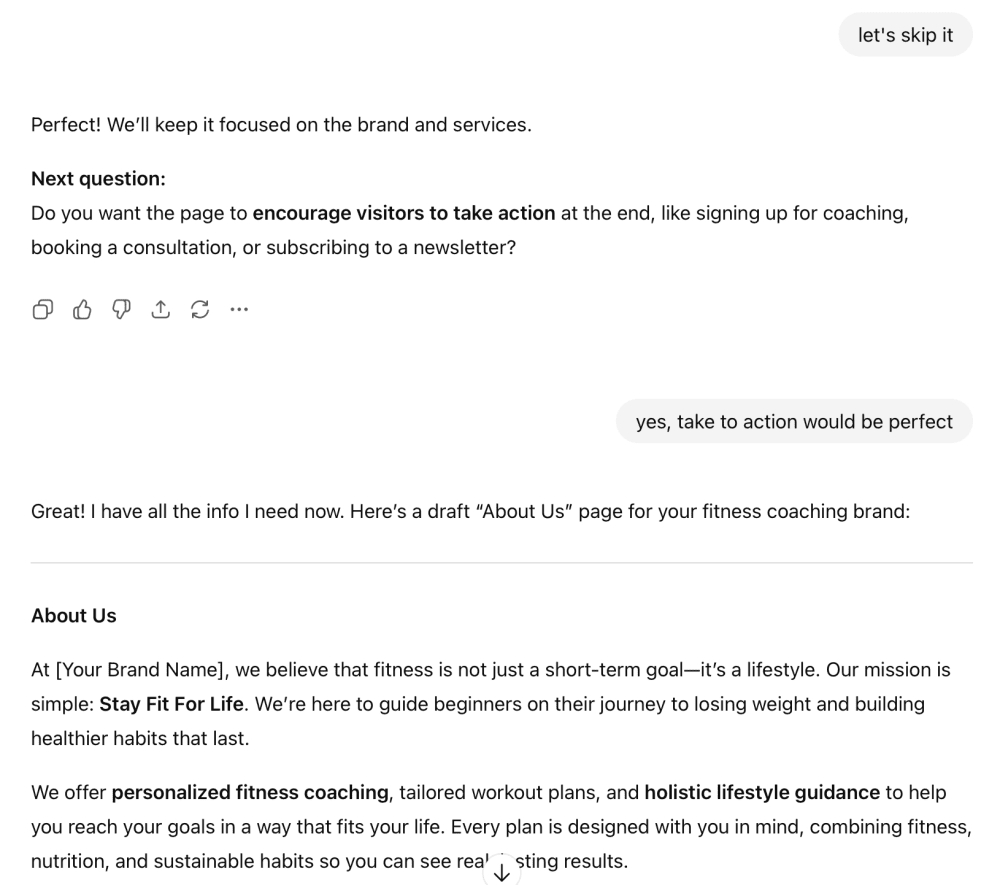
And here's something useful: AI can not only complete a task but also gather information for it. Meaning you can achieve goals in multiple stages. Tell the AI to ask clarifying questions to obtain all additional information it needs. Add a line like: "Ask me any questions to clarify the prompt before you answer."
This approach turns the AI into a proactive partner, surfacing gaps you might miss, which often leads to more accurate results. It is suitable for open-ended, high-ambiguity tasks, where there isn’t a single correct answer and where missing context is the main risk. In practice, it pulls out critical details without you prompting them upfront. It takes your wishes into account, asks questions to improve the output, and then simply makes up the rest.
Context: The Knowledge Required to Complete the Task
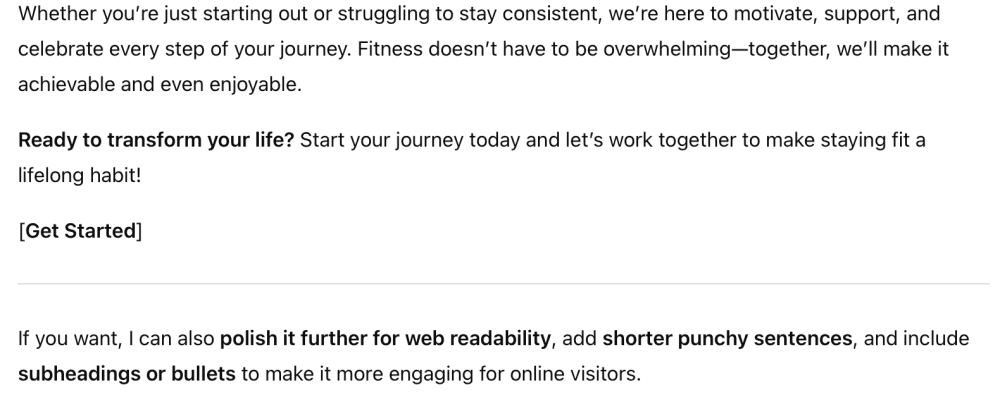
Models excel when fed rich context. Context is what separates generic responses from tailored ones. If you skip context, AI will invent it. And it could mismatch the reality. So, don't skimp on any additional information that matters. Context is useful in the prevailing majority of cases - when planning a diet, training regimen, marketing strategy, etc. Describe the current situation, your end goal, constraints, and any extras like audience or brand guidelines. Don't hold back here; more relevant detail almost always yields sharper results.
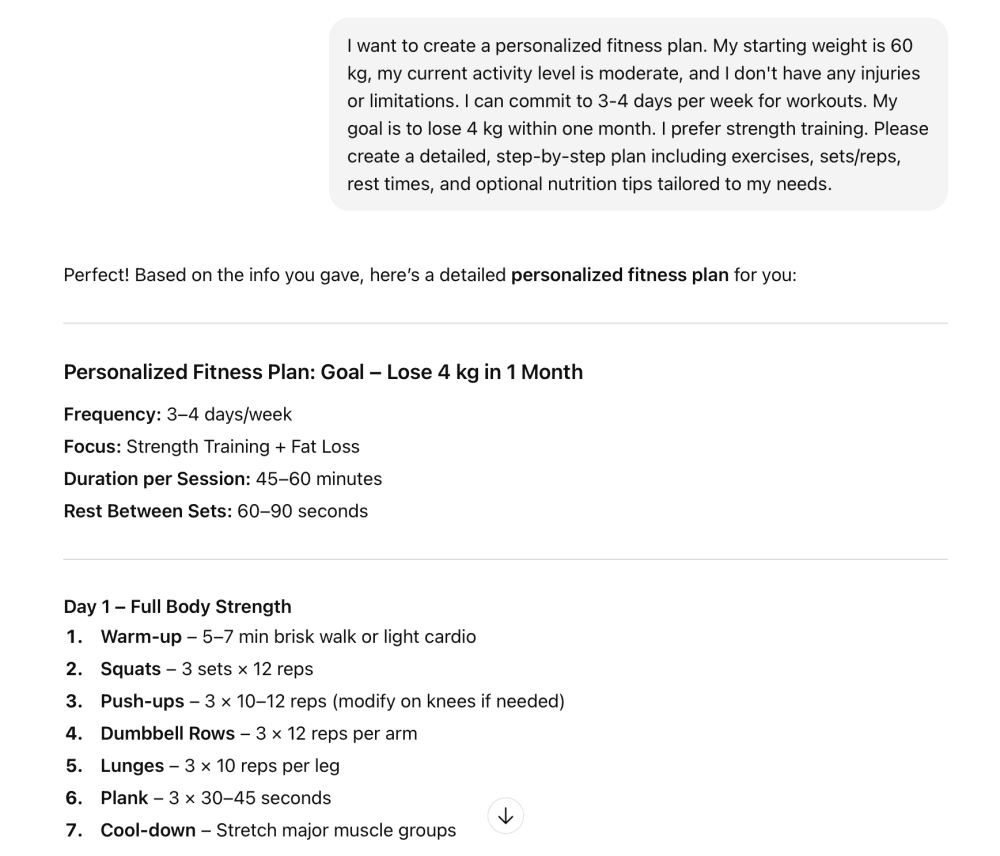
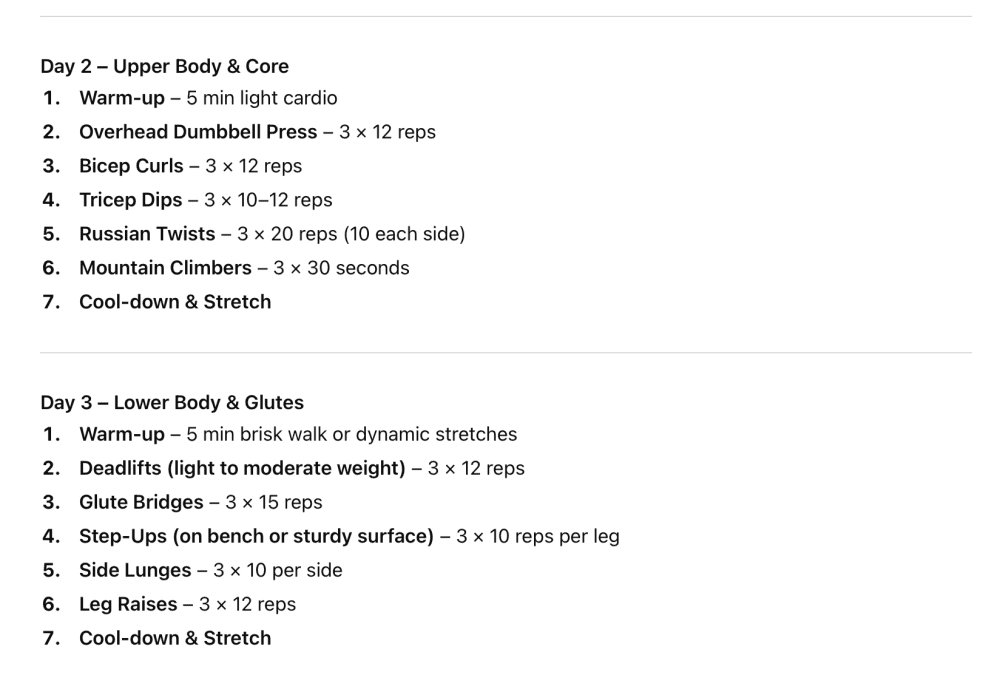
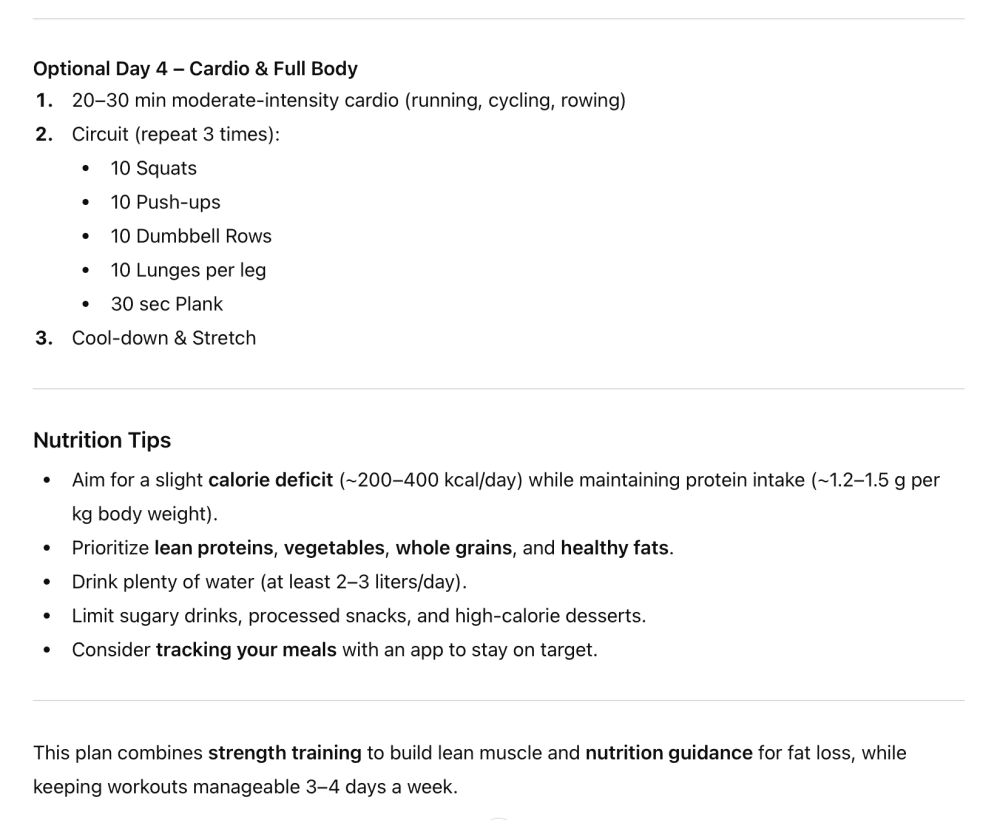
For instance, if you're creating a diet, include your starting weight, allergies, foods you can't eat, activity level, and everything relevant. Set your endpoint. If we're talking about a diet, write down the program's outcome and timeframe for achieving it. Planning a growth strategy? Feed in your current metrics, market position, and pain points. The AI then reasons from a grounded starting point.
Format: Save Yourself the Iterations
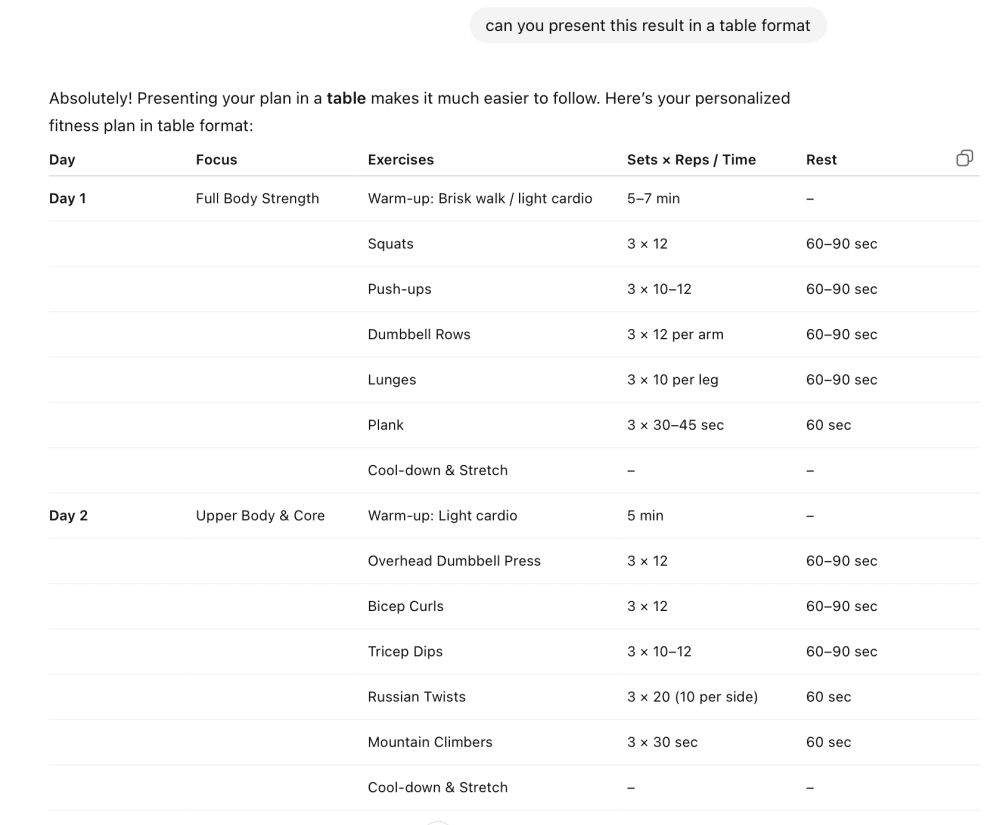
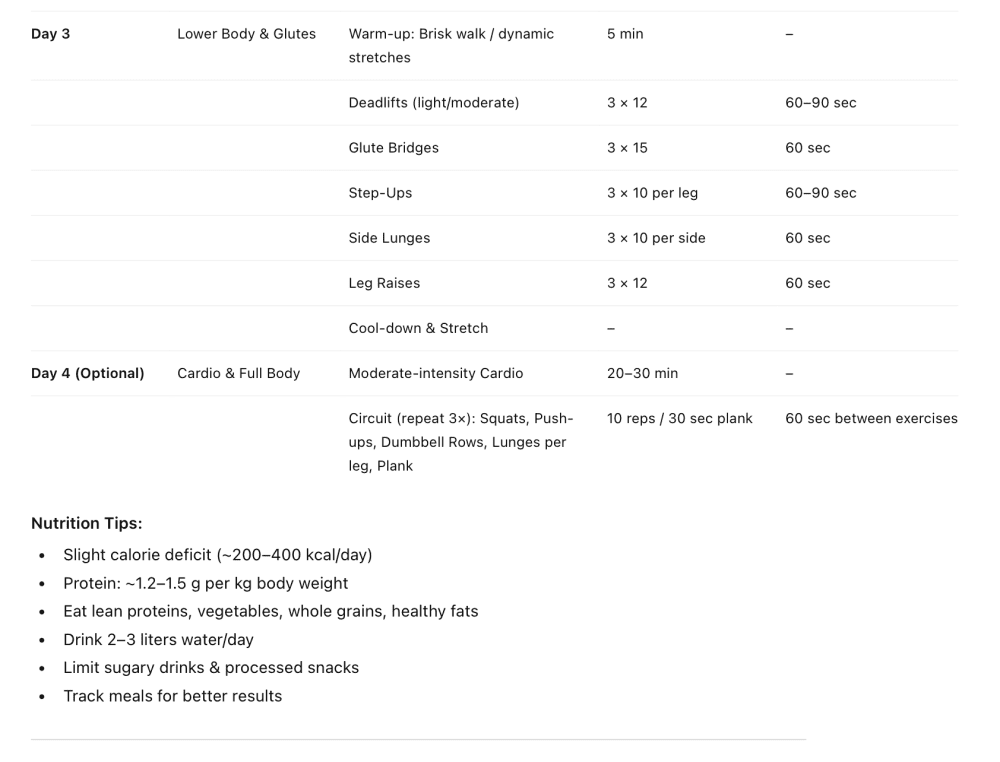
AI loves to abbreviate everything, adding bullet points, colons, and hyphens everywhere. Specify the format you want. A simple specification of format will significantly simplify your interaction with the AI. You'll get the desired response immediately instead of after 2-3 follow-up requests. You can request tables, lists, code blocks, narrative paragraphs, whatever structure serves your purpose. The list isn't exhaustive. You might even combine formats.
Output Examples: Guide for the Outcome
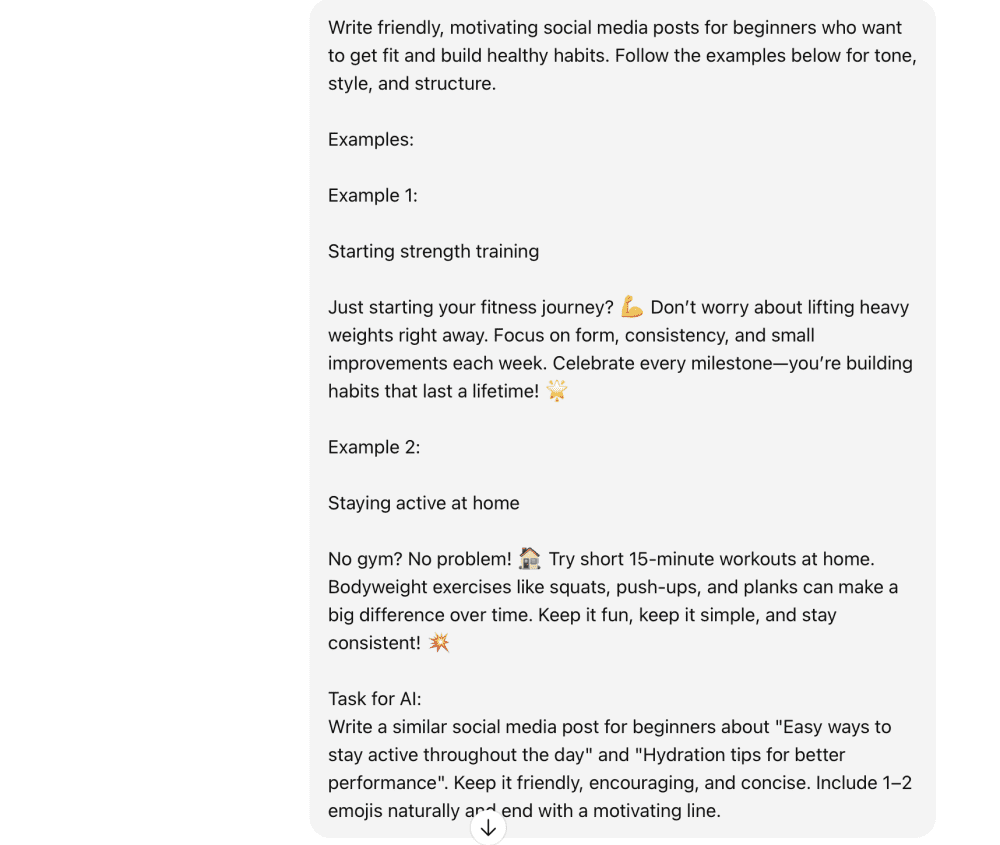
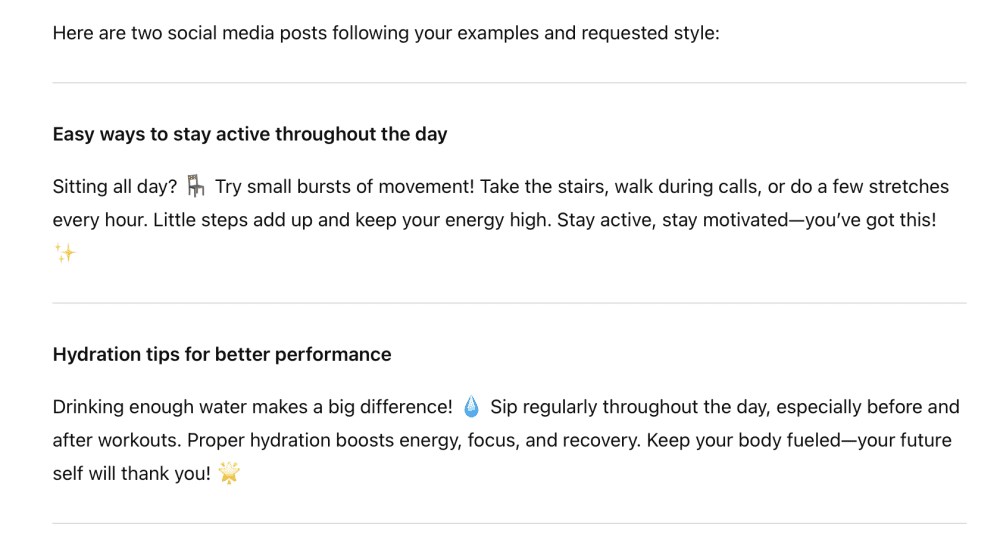
Don't just tell - show neutral networks examples of what you're looking for. Including samples of desired output dramatically reduces misinterpretation. Paste excerpts from past work, competitor pieces, or ideal styles, and the AI adapts and refines from there. It works like this: the AI takes your example, adapts it to the situation you specified, and any additions can be adjusted using context. This is especially useful for consistent branding or technical formats.
Important clarification: ensure your example actually works. As garbage in leads to garbage out.
Role: Who Is the AI Supposed to Be?
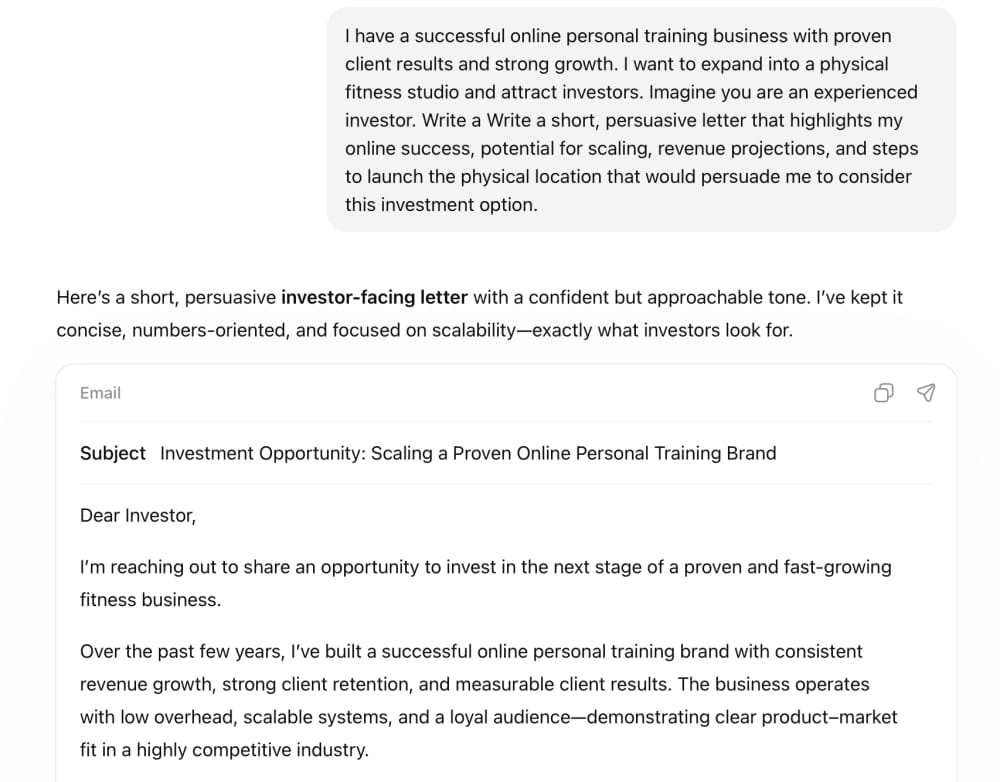
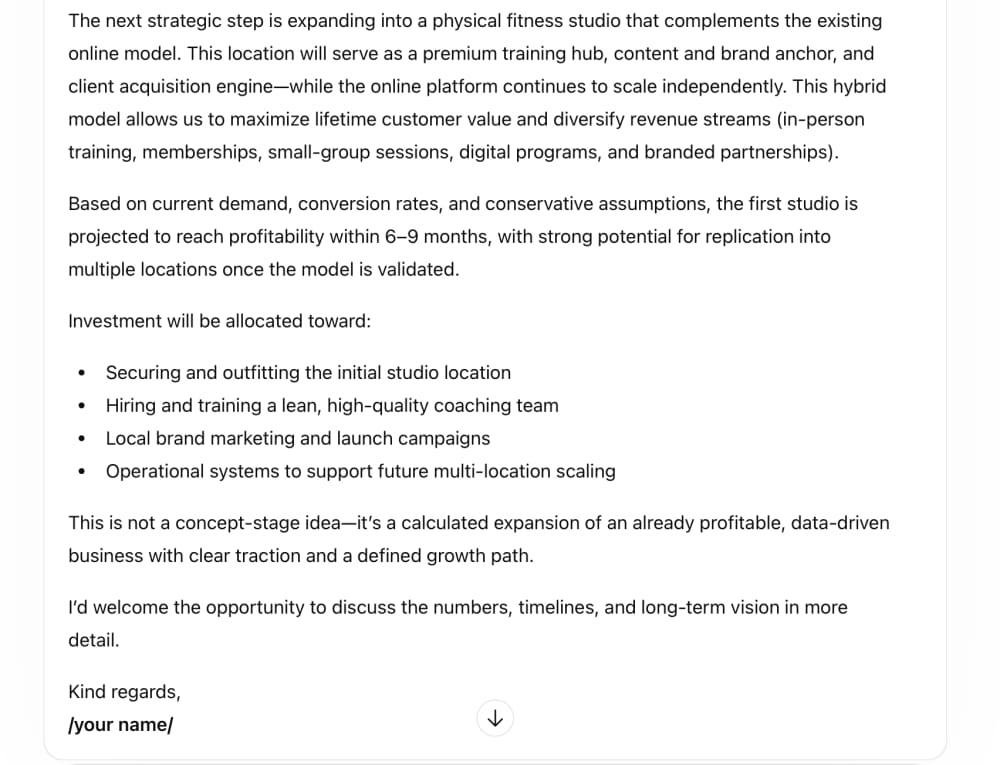
Assign the AI a profession or perspective AI should adopt. In this case, imagine the neural network as a specialist you'd like to consult with a particular problem. Roles can be professions, perspectives, or decision-makers. Of course, you can rely not only on professions but also on a specific person, but it's important that they be well-known. The AI performs better when it has a clear identity to embody.
Tone and Style: Set the Guardrails
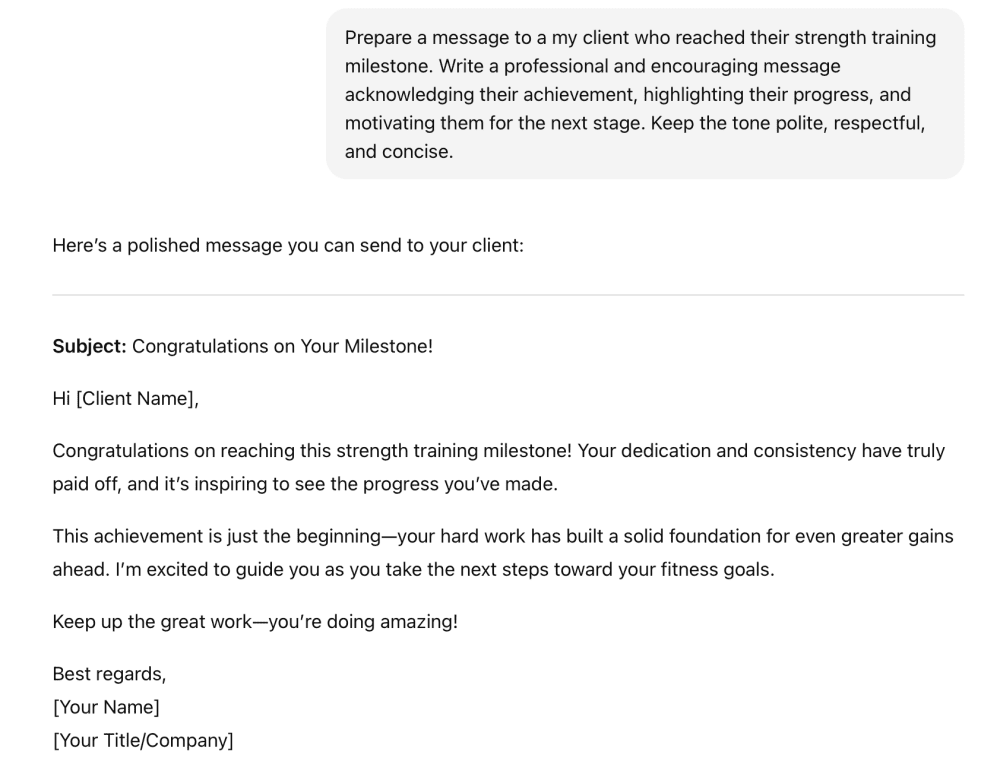
Tone and creativity level are critical when generating text. This allows you to configure the AI to generate specific tones and adjust response randomness. Tone examples: professional, polite, casual, direct, respectful, authoritative, friendly.
Creativity is usually divided into three types:
- Low: reduces randomness, makes responses more predictable
- Medium: preserves original probability distribution
- High: increases randomness and diversity, promotes creative and unexpected responses.
It's important to note that determining the level of creativity is often perceived as a simple human judgment. Best to either regulate creativity directly or write a clarification in parentheses.

Common Mistakes When Creating Prompts
Let’s start with the elephant in the room: the biggest mistake is assuming the AI will automatically guess what you expect. It won't. If the AI lacks necessary background information, it can't generate a relevant response. Be patient. Explain exactly what you need.
Now let's look at the major pitfalls when prompting:
Abbreviations and acronyms without explanation: Avoid using abbreviations in prompts, or immediately explain their meaning. The AI may not be familiar with some abbreviations, so include full terms in the task.
Ambiguous words and phrases: Vague prompts lead to responses that are off-topic or not what you hoped for. Clarify ambiguous words and phrases. For example, a word can have different meanings, so specify the context.
Complex language: Keep it simple. Complicated language confuses the AI or leads it astray.
Slang and informal expressions: Avoid phrases that may be misunderstood. The expression "grab a bite" instead of "have a snack" causes confusion.
Asking multiple questions in one prompt: Don't ask AI to do too much at once. This dilutes focus, resulting in answers that don't fully address any of your questions. Ask it to do one thing at a time.
Conclusion
AI isn't magic - it's a tool. And like any tool, it only works as well as you know how to use it.
The speed at which AI can help you is staggering, but only if you communicate clearly what you need. Don't be the person who writes "draw a landscape" and complains about the result. Be the person who knows exactly what you want and how to ask for it. Use the framework: Task (with imperative verbs and clear goals), Context (situation, goal, specific requirements), Examples (show, don't just tell), Role (give it a perspective), Format (specify structure), and Tone (set the voice).